
Subly · Subscription tracking · Product design
See what your subscriptions cost.
I designed and built a subscription tracker with a spending overview, a subscription list and a detailed cost history. It separates work and personal spending and shows upcoming charges.
Product design + build · Independent web app · 2026
See the resultThe result
An overview, a subscription list and a cost detail view.
I built the three views and light/dark versions of the overview. They use demonstration data. The next step is to test whether people can explain their total and spot a price increase using the interface.
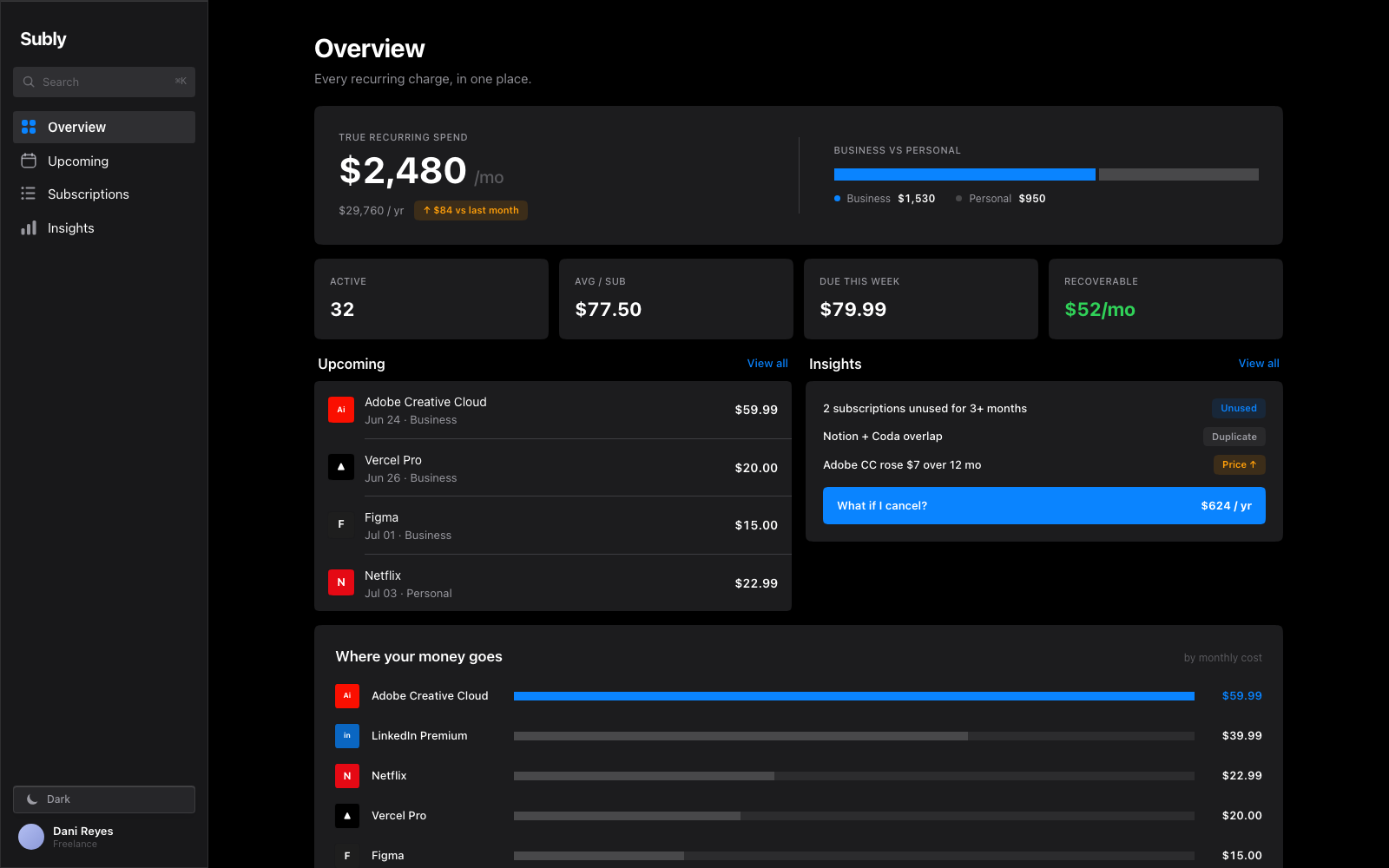
Dark overview with example spending, upcoming charges and subscription alerts.
Three screens
overview, subscription list and cost detailsTwo themes
light and dark versions of the overviewPrice history
current price, previous price and annual cost togetherThe problem
A subscription list does not explain the total.
Monthly and annual plans, different renewal dates and work expenses can make a subscription list difficult to assess. Seeing each price separately still leaves someone to calculate the combined cost.
I put the recurring total on the overview and kept billing details on the individual subscription page.
Which charges need a closer look this month?
Decision
Lead with the monthly total.
The overview starts with recurring spending and its work/personal split. Upcoming charges and items to review sit below it. The full subscription list has a separate view so the overview can prioritise totals and exceptions.
Decision
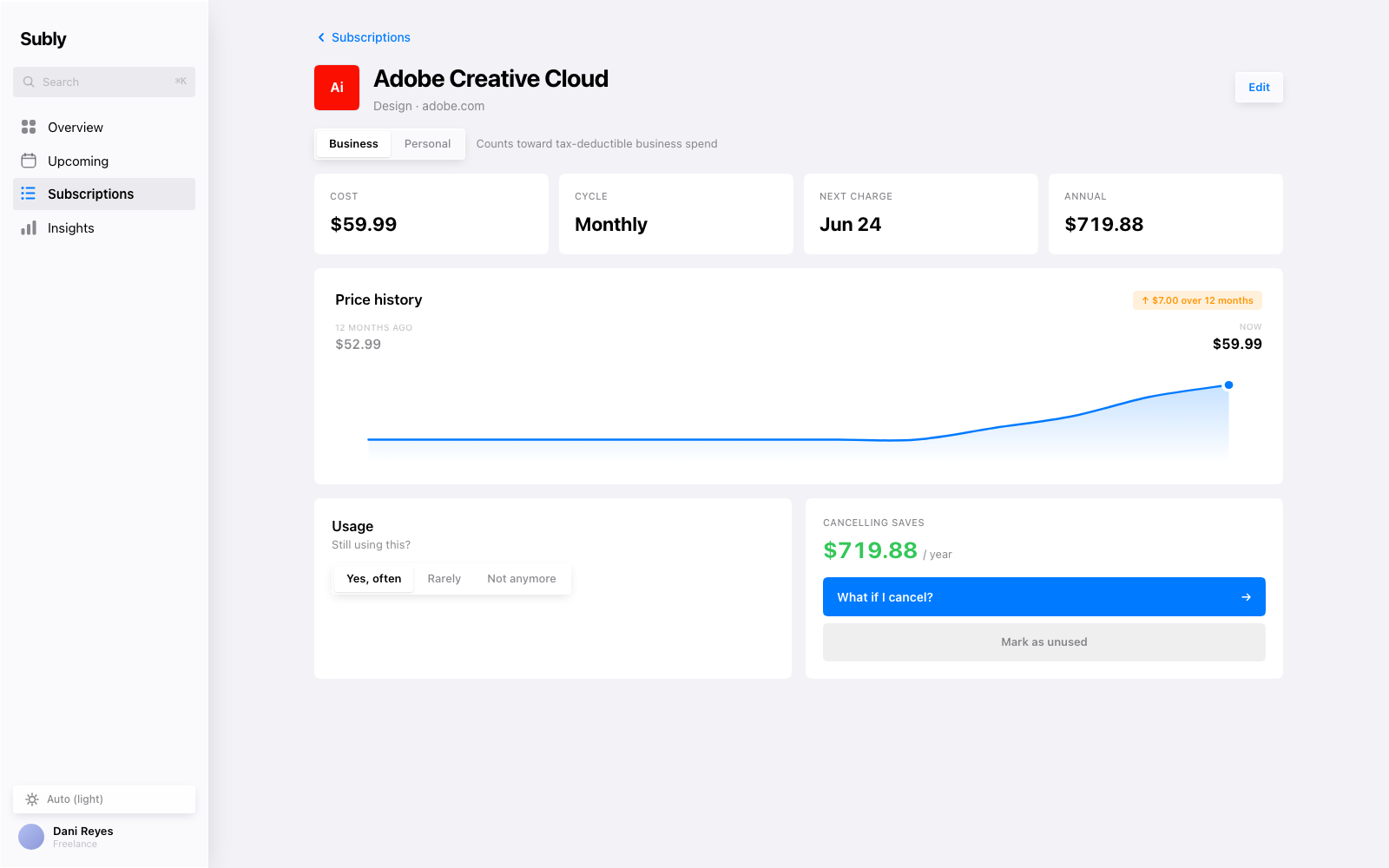
Put the price change beside the chart.
The detail screen groups the current price, billing cycle, next payment and annual cost. The history chart also shows the old price, new price and increase. Those values matter because the line’s scale can make a small change look large.
Decision
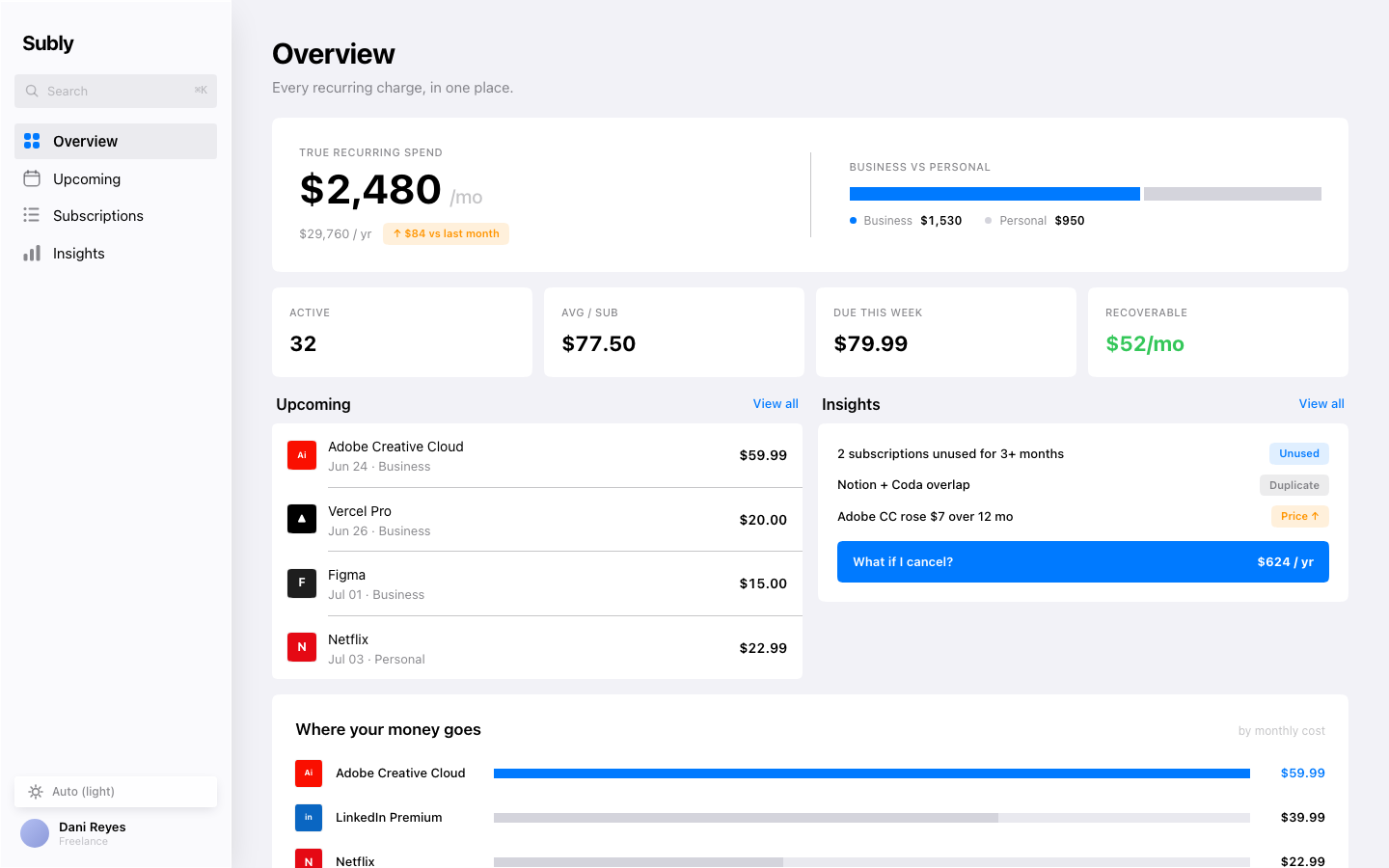
Use the same layout in both themes.
The light and dark overviews keep navigation, totals and lists in the same positions. Blue identifies actions and selections in both. I adjusted surface and text colours for each theme while keeping the content order unchanged.
The screens
Browse the Subly screens.
Choose Overview, Subscriptions or Detail. The overview is available in light and dark. These previews use sample data.